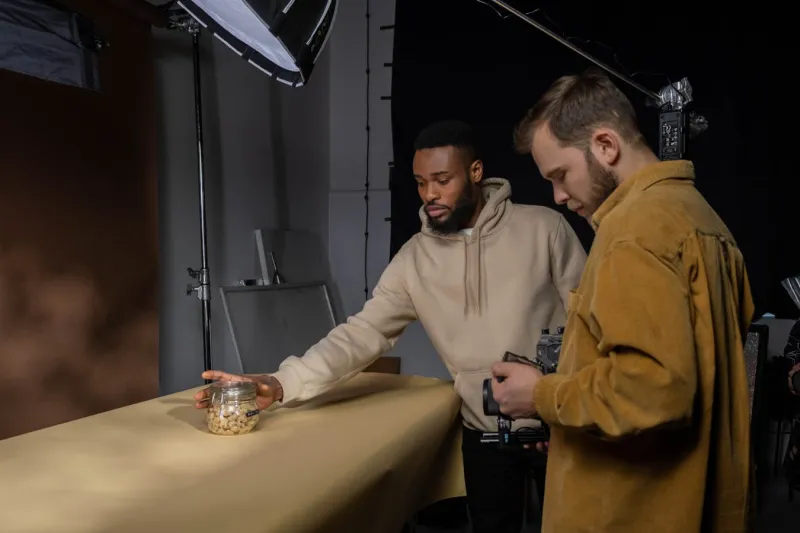
"Should I spend $5,000 on a photographer or shoot it myself?" The honest answer depends on your sales volume, return rate, and which platform you sell on. This guide walks through the ROI math for product photography, then routes you to the right spending decision based on where you actually are. No "you should always invest in great photos" platitudes — sometimes you shouldn't.
The ROI formula, plainly
The basic equation is:
Photography ROI = (Incremental margin from improved images − Photography cost) / Photography cost
Two components matter:
- Incremental margin — the extra profit you make because the new images convert better, get more impressions, and reduce returns.
- Photography cost — the all-in price including studio time, props, retoucher, model fees, and your own labor.
Both numbers are easier to estimate than they look. Let's run the actual numbers.
What the data says about conversion lift
Rather than guess, anchor the math to published benchmarks. Here are the lifts you can reasonably expect from improving photography, sourced from independent studies:
| Photography upgrade |
Conversion lift |
Source |
| Single image → 5+ images |
+50% |
MDG Advertising |
| Adding multi-angle / 360 view |
+22% to +27% |
BigCommerce |
| Adding lifestyle alongside packshot |
+15% to +30% |
eMarketer |
| Static → 3D / AR |
2x to 5x conversion rate |
Shopify AR data |
These are upper bounds in many cases. For the math below, we use conservative midpoints.
The first decision: what's your monthly revenue per SKU?
This is the variable that decides everything. Photography cost is a fixed-ish expense per SKU, so the more units a single SKU sells, the faster the cost amortizes.
| Monthly revenue per SKU |
Tier |
| < $500 |
DIY tier |
| $500 – $5,000 |
Hybrid tier |
| > $5,000 |
Pro studio tier |
Pick your tier and skip ahead.
Tier 1 — DIY (under $500/month per SKU)
If a single SKU brings in less than $500/month, professional photography rarely pays back inside a useful window. The math:
- Pro shoot for one SKU: ~$300–$800 all-in (single product, small studio)
- Conservative conversion lift from upgrade: 25%
- Incremental monthly profit at $500 revenue, 30% margin: $500 × 0.25 × 0.30 = $37.50/month
- Payback: 8 to 21 months
That's too long for a SKU that may be discontinued or replaced before payback hits. The right move at this tier:
| What to do |
Cost |
Result |
| Phone + window light + white sweep |
$0 |
"Good enough" packshots |
| Phone + cheap LED light + foam-core reflector |
$50 |
Sharper, more even light |
| AI background removal tool subscription |
$5–10/mo |
Clean white backgrounds without retoucher |
| One template you reuse across SKUs |
$0 (your time) |
Visual consistency |
The trap at this tier is overspending on photography for products that won't recoup it. The opposite trap is spending zero and ending up with phone snapshots so bad they kill the listing's CTR. The middle path: invest one weekend learning a basic phone-photography setup, and reuse it across every SKU.
Tier 2 — Hybrid ($500–$5,000/month per SKU)
This is where most growing sellers live, and where the math gets interesting. At $2,000/month revenue per SKU with a 30% margin, a 25% conversion lift earns you $150/month in extra profit. A $1,500 photo session pays back in 10 months — borderline. Push the conversion lift to 30% and the payback drops to 8 months. Now it's clearly positive.
The hybrid playbook:
- DIY the volume. Phone-shot packshots on white background for every SKU.
- Pro the heroes. Hire a photographer for your top 10–20% of SKUs that drive 80% of revenue.
- One lifestyle shoot per category. Not per SKU — per category. Reuse the lifestyle context across multiple products in the same family.
Cost-control tactics that work:
| Tactic |
Savings |
Trade-off |
| Batch shoot 30+ SKUs in one session |
50–70% per-SKU cost reduction |
Logistics complexity |
| Use the same model for a category |
$1,000+ per shoot |
Less variety in marketing |
| Buy props rather than rent |
Pays back after 2 shoots |
Storage space |
| Shoot in your own space, not a rental studio |
$300–800 per shoot |
One-time setup investment |
| Use AI background removal in post |
Saves retoucher hours |
Quality check required |
A practical example: a home goods seller with 80 SKUs averaging $1,500/month each. Total monthly revenue: $120K. They batched 80 SKUs across two shoot days at a rented studio for $4,200 total ($52.50/SKU). Conservative 20% conversion lift on the new images = $24K/month incremental. Payback: less than one week.
Tier 3 — Pro studio (over $5,000/month per SKU)
At this revenue level, photography ROI is no longer the question — every reasonable upgrade pays back in days. The real question becomes: where are you leaving money by not investing more?
The big wins at this tier:
| Investment |
Typical cost |
Expected lift |
| Professional model with stated body data |
$500–2,000 per shoot |
10–15% conversion on apparel |
| 360-degree spin photography |
$200–500 per SKU |
22–27% conversion |
| AR / 3D model |
$300–1,500 per SKU |
2–5x for furniture, eyewear |
| Video — short product clip |
$500–1,500 per SKU |
+73% purchase likelihood |
| Macro material close-ups |
Add-on to existing shoot |
Cuts material-related returns by 15%+ |
A high-volume SKU at $10,000/month revenue and 30% margin earns $3,000/month profit. A 20% conversion lift earns an extra $600/month. Even a $3,000 investment pays back in 5 months — and these upgrades are cumulative.
The hidden ROI driver: return rate
Most ROI calculators only count conversion lift. They miss the second lever, which often matters more: returns. From the Nordstrom data, high-res 360-degree views cut returns by 18% in two quarters. Baymard's product-page research points the same direction: when images let shoppers properly evaluate a product before buying, what arrives matches what they expected — and fewer orders come back.
If your apparel category has a 25% return rate and reverse logistics costs you $20 per return, dropping returns by 5 percentage points (a realistic effect from better images) saves $1 per unit shipped. On 1,000 units/month, that's $12,000/year — purely from images, completely separate from any conversion lift.
How to track what you actually got
The whole formula collapses without measurement. Three metrics to log before and after every photography upgrade:
- Listing-level conversion rate — sessions to purchases
- Add-to-cart rate — sessions to add-to-cart (this isolates image impact from price/checkout)
- 30-day return rate — units shipped to units returned, with reason codes
Run the new images for at least 28 days before judging. Two weeks isn't enough to filter out weekly seasonality. Four weeks is the minimum honest sample.
A simple tracking sheet:
| SKU |
Old CR |
New CR |
Old return % |
New return % |
Photo cost |
Monthly extra profit |
Payback months |
|
|
|
|
|
|
|
|
If you can't fill in this table after 30 days, you don't actually know whether the photography paid back.
Common ROI mistakes
| Mistake |
Why it tanks ROI |
| Hiring a photographer before product-market fit |
You'll re-shoot when you reposition |
| One pro shoot per SKU, no batching |
Cost-per-SKU stays high |
| Same shoot quality for all SKUs |
Best-sellers under-photographed, dogs over-photographed |
| Ignoring the return-rate side of the equation |
Underestimates ROI by 30–50% |
| Measuring lift over too short a window |
Random variation reads as a "result" |
| Re-shooting for vanity ("my new logo") |
No buyer ever asked for this |
Decision summary
| Your situation |
Photography spend |
| Brand new, untested product |
Phone + good light. $0–50. |
| Selling but under $500/SKU/month |
DIY system reused across catalog. <$200 setup. |
| $500–5,000/SKU/month |
DIY for volume, pro for top SKUs. ~$50–200 per SKU averaged. |
| Top 10% SKU >$5,000/month |
Full studio + 360 + lifestyle + macro + video. $500–2,000 per SKU. |
| Return rate >20% in your category |
Add macro material shots + dimension annotations regardless of revenue tier. |
FAQ
What's a realistic conversion lift to expect from a photography upgrade?
20–30% is conservative and achievable for most listings going from basic to professional. Outliers can hit 50% or more, but don't bank on those for ROI math. Plan with 25%, celebrate when you beat it.
How do I know how much my retoucher and model are actually costing me per SKU?
Sum the all-in cost of the shoot — studio rental, photographer day rate, model fees, retoucher hours, prop purchases — and divide by the number of usable images you got out of it. Most sellers underestimate this number by 30–50% because they forget the soft costs (their own time briefing, reviewing, organizing).
Can AI photography tools replace a professional shoot?
For mid-tier listings, increasingly yes. AI background removal, AI relighting, and AI-generated lifestyle backgrounds have closed most of the gap for catalog-style packshots. Where AI still fails: apparel on real bodies, food in motion, and any shot where material texture is the selling point. For those, real photography wins.
Should I re-shoot products that are already selling well?
Generally no, unless your conversion rate is below your category's median. If the existing images already convert well, "improving" them adds risk without much upside. Spend the photography budget on new SKUs or laggards instead.
How long until photography pays back?
It depends almost entirely on revenue per SKU, so there's no universal number. For high-volume SKUs the math often clears inside a month or two; for mid-volume SKUs a few months is typical; and for long-tail SKUs at low revenue, payback may never come — which is why DIY for the long tail and pro for the heroes is the standard playbook. Run your own numbers with the tier tables above rather than trusting a blanket "X-day payback" figure.
Next steps
If you're auditing photography spend right now: run the SKU-by-SKU revenue list, sort by monthly revenue, and apply the tier table. Most catalogs have 5–20 SKUs that should be photographed at a higher tier than they currently are, and 50+ SKUs that are over-invested. Reallocating, not increasing, the photography budget is usually where the ROI is hiding.
For the dimension and size annotation side of the work — the part that drives the return-rate ROI rather than the conversion ROI — annotation tools that overlay measurements on existing photos can be added to any tier without re-shooting. That's a separate decision, made per category based on whether returns in that category are dimension-driven.
Sources & References