
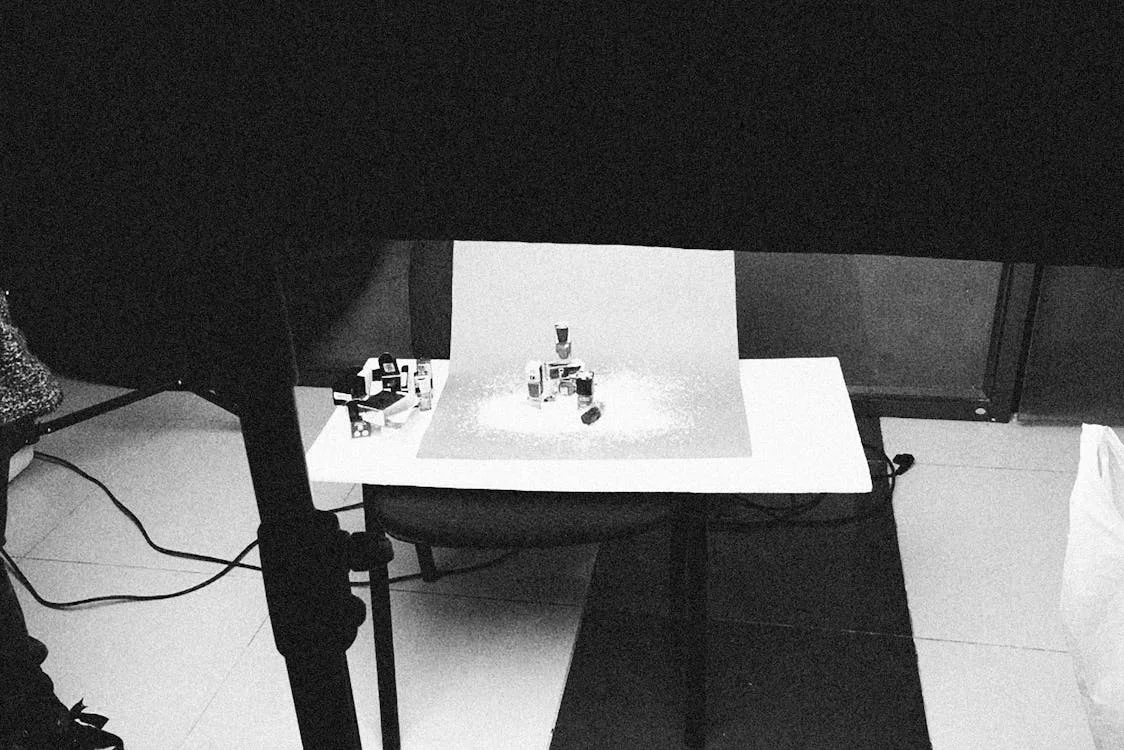
Getting your Amazon product images right is non-negotiable. Images that don't meet Amazon's guidelines get suppressed, rejected, or buried in search results. This guide covers every specification you need to know — from pixel dimensions to white background rules — so you can get your listings approved on the first try.
Main Image (MAIN) Requirements
Your main image is the single most important asset in your listing. It appears in search results, ads, and the Buy Box. Amazon enforces strict rules on this image.
Technical Specifications
| Requirement | Specification |
|---|---|
| Minimum size | 1,000 × 1,000 pixels (longest side) |
| Recommended size | 2,000 × 2,000 pixels or larger |
| Maximum file size | 10 MB |
| Accepted formats | JPEG (.jpg), PNG, TIFF, GIF (non-animated) |
| Color mode | sRGB |
| Aspect ratio | 1:1 (square) recommended |
| Background | Pure white (RGB 255, 255, 255) |
Content Rules for Main Images
Your main image must:
- Show the actual product being sold (not a graphic, illustration, or placeholder)
- Fill at least 85% of the image frame
- Show the product on a pure white background
- Display the entire product — no cropping of edges
Your main image must not contain:
- Text, logos, or watermarks of any kind
- Badges, awards, or "Best Seller" labels
- Multiple products (unless sold as a bundle)
- Props, accessories, or items not included in the purchase
- Borders, color blocks, or any background other than pure white
- Mannequins (for apparel — human models are allowed)
Why 2,000+ Pixels Matters
Amazon enables the zoom feature only when the longest side reaches at least 1,600 pixels. Zoom lets shoppers inspect fabric texture, stitching quality, and fine print — directly increasing buyer confidence. With more shoppers on mobile where pinch-to-zoom is natural behavior, 2,000–3,000 pixels on the longest side is the practical sweet spot.
Secondary Image Guidelines
Amazon allows up to 9 images per listing (1 main + 8 secondary), though only 7 display by default on desktop. Secondary images have more flexibility than the main image.
What's Allowed in Secondary Images
Unlike the main image, secondary images can include:
- Text overlays and callouts
- Infographics with feature highlights
- Lifestyle and in-use photography
- Size charts and dimension annotations
- Comparison graphics
- Close-up detail shots
- Package contents layout
Recommended Image Stack Strategy
Here's how top-performing Amazon listings typically structure their 7 visible images (a slot-by-slot teardown is in the Amazon listing image stack breakdown):
| Position | Purpose | Example |
|---|---|---|
| Image 1 (MAIN) | Product on white background | Clean, full product shot |
| Image 2 | Key features infographic | 4–5 callouts with icons |
| Image 3 | Size and dimensions | Measurements annotated on product |
| Image 4 | Lifestyle / in-use shot | Product in real-world context |
| Image 5 | Material / detail close-up | Texture, stitching, finish quality |
| Image 6 | Package contents | Everything included in the box |
| Image 7 | Comparison or social proof | vs. competitors, or customer use cases |
Infographic Best Practices
Infographic images are among the highest-converting secondary images. Key principles:
- Limit to 4–5 callouts — more than that becomes overwhelming
- Use large, readable fonts — test on a phone screen (most Amazon traffic is mobile)
- Maintain brand consistency — same colors, fonts, and style across all images
- Lead with benefits, not features — "Keeps drinks cold for 24 hours" beats "Double-wall vacuum insulation"
Size and Dimension Images
For products where size matters — furniture, clothing, electronics, bags — a dedicated dimension image can dramatically reduce returns.
What to Include in a Dimension Image
- Key measurements with clear annotation lines (length, width, height, depth)
- Dual units — show both inches and centimeters for international buyers
- Scale reference — place the product next to a recognizable object (hand, coin, phone)
- Wear/fit reference for apparel — model measurements alongside size worn
Dimension Image Design Tips
- Use thin, clean annotation lines that don't obscure the product
- Choose a font color that contrasts with the product
- Keep the annotation style consistent (same line weight, font, and color)
- Position measurements outside the product silhouette when possible
- Label the measured value, not a rendered guess — a dimension line snapped to the photographed edge is what buyers act on, and the furniture size-label case study shows the refund drop that follows
Common Rejection Reasons and How to Fix Them
Amazon's automated systems scan every uploaded image. Here are the most frequent compliance failures:
1. Background Not Pure White
Problem: Your background looks white but is actually RGB (248, 248, 248) or similar.
Fix: In Photoshop, select the background with the Magic Wand tool, then fill with pure white (#FFFFFF). Use the eyedropper tool to verify.
2. Product Doesn't Fill 85% of Frame
Problem: Too much empty space around the product.
Fix: Crop tighter. The product should nearly touch the edges of the image frame, leaving only a thin margin of white.
3. Text or Graphics on Main Image
Problem: Brand logo, size label, or promotional text on the main image.
Fix: Move all text elements to secondary images. The main image must be the product only.
4. Watermarks or Photographer Credits
Problem: Studio watermarks or copyright text visible on the image.
Fix: Request unwatermarked files from your photographer. Remove any remaining marks in post-processing.
5. Mannequin Visible in Apparel Images
Problem: Clothing displayed on a visible mannequin.
Fix: Use "ghost mannequin" photography — shoot on a mannequin, then remove it in post-processing to create a hollow/floating effect. Alternatively, use a human model.
6. Image Resolution Too Low
Problem: Image is under 1,000 pixels, appears blurry, or doesn't enable zoom.
Fix: Re-shoot at higher resolution or request original files from your photographer. Upscaling a small image won't fix the quality.
7. Multiple Products Shown (Non-Bundle)
Problem: Main image shows accessories or items not included in the purchase.
Fix: Show only what the buyer receives. If you sell a phone case, don't include the phone in the main image.
8. AI-Generated People Without the Metadata Tag
Problem: A lifestyle image or A+ module shows a photorealistic person who was generated entirely by AI, and the file carries no disclosure metadata.
Fix: Since late July 2026, tag the file before upload (details below). If the "person" is a real model — even one retouched with AI tools — no tag is needed.
AI-Generated People in Listing Images: The Tag Amazon Now Requires
Amazon's image rules gained a new field in 2026, and it lives in the file, not on the pixels. In late July 2026 Amazon told sellers that any listing image, A+ Content module or product video containing photorealistic people generated entirely by AI must carry the keyword contains-synthetic-performer in the dc:subject (XMP) metadata field, added with an IPTC-compatible metadata editor before the file is uploaded. When the tag is present, Amazon adds a disclosure indicator on the detail page telling shoppers the image includes AI-generated people. The requirement is mandatory for new uploads going forward; existing images should be re-tagged when the listing is next edited.
The driver is a law, not a style preference. New York General Business Law section 396-b, the Synthetic Performer Disclosure Law (S.8420-A / A.8887-B), took effect on 9 June 2026 and requires a conspicuous disclosure in any advertisement that features a "synthetic performer" — a digitally created asset intended to look like a human performer who is not an identifiable real person. Civil penalties run $1,000 for a first violation and $5,000 for each subsequent one. Because a product listing is an advertisement, Amazon pushed the disclosure into the upload pipeline.
| Image contains | Tag required? |
|---|---|
| A photorealistic person generated entirely by AI | Yes — add contains-synthetic-performer to dc:subject (XMP) |
| A real model, even if retouched or background-swapped with AI tools | No |
| A character from a film, TV show, video game or other expressive work | No |
| An illustrated, cartoon or clearly non-photorealistic figure | No |
| No people at all (product only, dimension image, infographic) | No |
Two practical notes. First, the tag is a metadata keyword, not visible text — do not print "AI-generated" on the image itself, which would breach the no-text rule on the main image and clutter secondaries. Second, the rule is about people; it says nothing about AI-rendered products. That is a separate risk with its own answer: a generated product image can look right while carrying a size that is merely plausible, which is why AI-generated images to show product size fail as dimension images regardless of any tag.
Image Requirements by Category
Some Amazon categories have additional image rules:
Apparel & Fashion
- Main image must show the product on a human model or as a flat lay — no mannequins
- At least one image should show the back of the garment
- Size chart image is highly recommended
- Shoes must show the pair together in the main image
Electronics
- Show all included accessories and cables
- Include a dimensions/scale reference image
- Port and connectivity close-ups are expected
- Avoid excessive CGI rendering — photos of actual product preferred
Home & Furniture
- Include room-scale lifestyle images
- Dimension annotations are critical (L × W × H)
- Show assembly result (not just parts in box)
- Material/texture close-ups build trust
Grocery & Food
- Product must be shown outside of shipping packaging
- Nutrition label image is required in many sub-categories
- No lifestyle images that misrepresent serving size
- Fresh food must look appetizing but realistic
Pre-Upload Checklist
Run through this checklist before uploading any image to Amazon:
- Main image: pure white background (RGB 255, 255, 255)
- Main image: product fills 85%+ of frame
- Main image: no text, logos, watermarks, or badges
- All images: at least 1,600 pixels on longest side (2,000+ preferred)
- All images: file size under 10 MB
- All images: JPEG, PNG, or TIFF format, sRGB color mode
- Secondary images: infographic text is readable on mobile
- Dimension image: measurements in both inches and centimeters
- Lifestyle images: product is the clear focal point
- No mannequins visible in apparel images
- Any photorealistic AI-generated person: contains-synthetic-performer added to dc:subject (XMP) before upload
FAQ
Can I add dimension annotations to the main image?
No. The main image must be the product only — no text, lines, or annotations. Dimension annotations should go in a secondary image (positions 2–7). Many top sellers place their dimension image in position 3 or 4.
How many images should I upload?
Upload all 9 if you have quality content for each slot. At minimum, aim for 7 images. Listings with 7+ images consistently outperform those with fewer in both click-through rate and conversion rate.
Does image quality affect search ranking?
Not directly through Amazon's A10 algorithm, but indirectly — yes. Better images lead to higher click-through rates and conversion rates, which are major ranking factors. Listings with zoom-enabled images (1,600+ pixels) also get preference in some placements.
Can I use the same images on Amazon and my Shopify store?
Yes, but optimize for each platform. Amazon requires pure white backgrounds for main images, while Shopify gives you more creative freedom. Your secondary/lifestyle images can often be reused across platforms.
Do I have to label AI-generated people in Amazon product images?
Yes, since late July 2026. If a listing image, A+ module or product video contains a photorealistic person generated entirely by AI, add the keyword contains-synthetic-performer to the file's dc:subject (XMP) metadata with an IPTC-compatible editor before uploading; Amazon then shows an AI-generated-people indicator to shoppers. Real models edited with AI tools, non-photorealistic figures, characters from expressive works and images with no people do not need the tag. The rule follows New York's Synthetic Performer Disclosure Law (GBL section 396-b), in force since 9 June 2026.
What happens if my images don't meet requirements?
Amazon may suppress your listing (remove it from search results) without notification. In severe cases, the listing may be deactivated entirely. You'll receive a notification in Seller Central under "Product Image Compliance" if there's an issue.
Sources & References
- Amazon Seller Central — Product image requirements (official image guidelines)
- Amazon Seller Central — A+ Content image specifications
- Amazon Seller Central — Manage Your Experiments (A/B testing for Brand Registered sellers)
- Amazon Seller Forums — Adding "contains-synthetic-performer" on AI-created images (Amazon's notice: dc:subject (XMP) keyword, exemptions, disclosure indicator)
- ChannelX — Amazon AI-generated people image and video rules (August 2026 coverage of the seller notice: images, A+ Content, video)
- Goat Consulting — Amazon's AI-generated image rule: what sellers must do (metadata steps, exemptions, New York GBL 396-b penalties)
- Cooley — New York enacts "Synthetic Performer" disclosure law for advertisements (GBL 396-b, effective 9 June 2026, $1,000 / $5,000 penalties)
- New York State Assembly — Bill A08887 (2025–2026): synthetic performer disclosure in advertisements, text and actions
Make Your Product Images Work Harder
The image slot that does the most work after the main image is the dimension image, and it only works when the numbers on it are measured, not estimated. The practical fix is software that locks the measured length, width and height onto the photo — dimension lines that snap to the product's photographed edges, dual units printed once, then a one-click export at Amazon's 2,000-pixel square — so the same figure appears on the listing, the spec sheet and the carton. Clear, measured size information on the listing image is what lets buyers purchase with confidence and is the single biggest lever on size-related returns.