
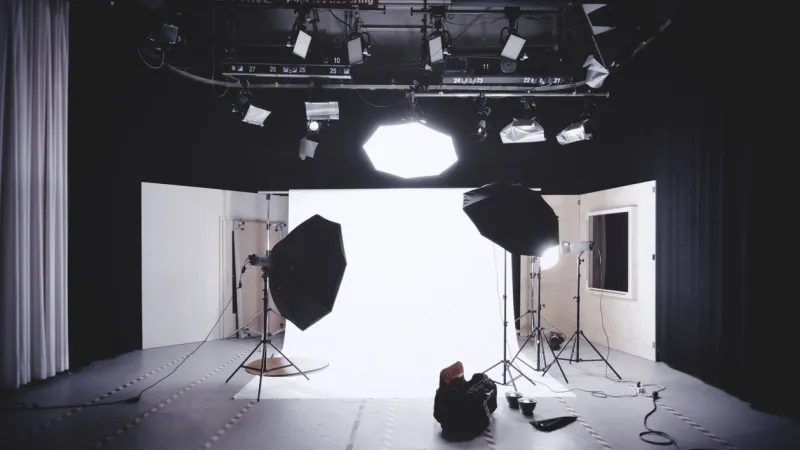
Temu product image requirements decide whether your listing goes live today or sits in review for a week — the platform approves or rejects on the images before a single shopper sees the price, so getting them right on the first upload matters. Temu is a young platform, its specs are still tightening, and the numbers floating around seller forums contradict each other. This is the current 2026 spec sheet — the pixel floors, the pure-white-background rule, the file limits, and the exact reasons the review team bounces images — pulled from Temu's own seller documentation and cross-checked against onboarding guides.
Temu product image requirements are the technical and content rules a seller's photos must meet to get a listing approved and live: a minimum resolution, a white main-image background, a supported file format under a size cap, a minimum image count, and a ban on text, watermarks, and logos on the product shots. Miss any one and the listing stalls in review.
Temu Product Image Requirements at a Glance
Every rule that decides whether your images pass, in one table. Screenshot it and check a listing against it before you hit submit.
| Requirement | Temu spec (2026) |
|---|---|
| Minimum resolution | 800×800 px absolute floor; at least 1,600 px on the longest side recommended |
| Main-image aspect ratio | 1:1 square (fits the product grid); 3:4 / 4:5 portrait accepted for apparel and mobile-first listings |
| Main-image background | Pure white, RGB 255,255,255; product centered and fully visible |
| File format | JPG, JPEG, or PNG |
| Max file size | Under 3 MB per image |
| Images per listing | Minimum 3 to publish; up to 10 secondary images |
| Text / watermark / logo | Not allowed on product images |
| Size chart / size image | One image, under 3 MB, JPG/PNG/JPEG, uploaded in the Size chart slot |
| Video | Optional; recommended for higher-tier categories |
| Review | Every listing is reviewed before it goes live |
The one number people get wrong: 800×800 is the floor that keeps an upload from being blocked outright, but it is not the target. Temu's own guidance pushes for at least 1,600 px on the longest side, because the platform runs automatic image enhancement on new listings and small source files come out soft and get down-ranked. Upload at 1,600 px or higher and let the compression happen on Temu's side, not yours.
Requirements by Image Type
Temu treats the main image and the secondary images as two different jobs. The main image is a compliance gate; the secondary slots are where you actually sell and pre-empt returns.
Main image (slot 1)
This is where the temu main image requirements are strictest. The background must be pure white — RGB 255,255,255, not "close enough" cream or light gray. Temu's validation checks the background algorithmically, and any drift off true white can trigger a rejection. The product sits centered, fills most of the frame, and shows no props, no packaging clutter, no text, and no logo overlay. The temu white background requirement is not a suggestion; it is the single most common reason a first upload fails.
Secondary images (slots 2–10)
You get up to nine more slots, and the order matters because Temu shoppers swipe fast. A field-tested sequence:
- Lifestyle shot — the product in use, giving instant scale and context.
- Detail close-ups — material, stitching, finish, ports, texture.
- Size / dimension image — for apparel, measurements in both cm and inches; for hard goods, a labeled dimension diagram.
- What's-in-the-box — everything the buyer receives, laid flat.
- Comparison or USP graphic — the one spec that beats the cheaper listing next to yours.
A clear dimension image in the secondary slots does more than look thorough — it directly cuts the wrong-size returns that eat your margin. Before you decide it is not worth the effort, run the math on what one avoidable return actually costs you with the return cost calculator; on low-ticket Temu orders, a single return often erases the profit from several sales.
Size image vs size chart
Temu lets you satisfy the sizing slot two ways: a structured size chart (a table you fill in) or a single uploaded size image. If your category allows the image route, you upload one file — under 3 MB, JPG/PNG/JPEG — through Listings → Draft → Edit → Photos & Video → Size chart → Add size chart → Upload images. Only one size image is permitted per product, so it has to carry every measurement a buyer needs. This is exactly where accurate dimension labeling pays off: tools like a dimension and spec annotation tool let you drop exact width, height, and depth callouts onto a clean product photo, so one image answers the "will it fit?" question that otherwise becomes a support ticket or a return.
Requirements by Category
The core specs are universal, but three category groups have extra expectations.
Clothing and apparel
Square works, but 3:4 or 4:5 portrait uses the mobile screen better and is common in fashion grids. A model shot plus a flat-lay is the norm, and the size image is effectively mandatory — apparel is Temu's highest-return category, and a size guide in both cm and inches measurably lowers returns. For a deeper platform-by-platform view of how fashion sizing images differ, the TikTok Shop image requirements guide covers the same short-video-marketplace logic Temu shares.
Furniture, home, and large items
Scale is everything and a white-background hero tells the buyer nothing about size. Lead with the pure-white main image to pass review, then use secondary slots for a dimension diagram (labeled width × height × depth), an in-room lifestyle shot for scale, and an assembled-vs-folded view if it applies. "Buyer couldn't tell how big it was" is the return you prevent here.
Electronics and regulated goods
Electronics and children's products go through a stricter, multi-stage validation, and some categories require compliance documentation on top of the images. The image rules don't loosen — pure white main, no text overlays — but expect the review to take longer and to ask for certification. If you also sell into wholesale channels, the B2B marketplace image requirements breakdown shows how spec-sheet expectations there compare to Temu's consumer-facing rules.
Why Temu Images Get Rejected
Most rejections are boringly avoidable. Here is what actually trips the review, and the fix.
| Rejection reason | What it looks like | Fix |
|---|---|---|
| Off-white main background | Cream, gray, or a faint gradient behind the product | Re-shoot or clean to true RGB 255,255,255 |
| Text / watermark / logo on the image | Brand name, price sticker, "50% OFF" burned into the photo | Remove all overlays from product shots |
| Too few images | Fewer than 3 images uploaded | Add images — minimum 3 to publish |
| Low resolution / blur | Under 800×800, or a soft phone photo with glare | Upload at 1,600 px+, control lighting and angle |
| Oversized file | Image over 3 MB won't upload | Compress to under 3 MB, keep JPG quality 80–90 |
| Skewed / cluttered composition | Product off-center, props, or busy background | Center the product, strip the background |
| Incomplete listing fields | Missing attributes alongside the images | Complete every required field before submitting |
The pattern behind all of these: Temu reviews every listing before it goes live, and incomplete or inaccurate data — not artistic quality — is the top rejection trigger. Phone-camera photos with glare, skewed angles, or heavy compression get bounced far more often than properly lit shots, so the fastest approval win is controlling light and shooting straight-on, not buying a better camera.
Pre-Upload Checklist
Run every listing against this before you submit. If any box is unchecked, the review team will likely catch it first.
- Main image background is pure white (RGB 255,255,255), not cream or gray
- Longest side is at least 1,600 px (never below the 800×800 floor)
- File is JPG, JPEG, or PNG and under 3 MB
- At least 3 images uploaded; up to 10 used where it helps
- Zero text, watermarks, logos, or promo badges on product photos
- Product is centered and fills the main frame
- Secondary slots include a lifestyle shot and detail close-ups
- Size / dimension image included (apparel in cm and inches; hard goods labeled W×H×D)
- What's-in-the-box image added for multi-part products
- Every required listing field is complete and accurate
FAQ
What are the Temu product image requirements for 2026?
Temu requires at least 800×800 px images (1,600 px on the longest side recommended), a pure white RGB 255,255,255 main-image background, JPG/JPEG/PNG format under 3 MB, a minimum of 3 images (up to 10), and no text, watermarks, or logos on product shots. Every listing is reviewed before it goes live.
What size should Temu images be?
The absolute minimum is 800×800 px, but Temu recommends at least 1,600 px on the longest side. A 1:1 square ratio fits the product grid best; 3:4 or 4:5 portrait is accepted for apparel and mobile-first listings. Keep each file under 3 MB.
Why was my Temu image rejected?
The most common reasons are an off-white main-image background, text or a watermark burned into the photo, too few images (under 3), resolution below the floor or a blurry phone shot, and incomplete listing fields. Temu checks the white background algorithmically, so even a slight color cast triggers a rejection.
Does Temu require a white background?
Yes. The main image must use a pure white background (RGB 255,255,255) with the product centered — it is required, not optional. Secondary images can use lifestyle and in-context backgrounds, but the first slot must be true white to pass review.
Can I upload a size image instead of a size chart on Temu?
For categories that allow it, yes. You upload one size image (under 3 MB, JPG/PNG/JPEG) in the Size chart slot instead of filling in a structured table. Because only one image is permitted, it needs to show every key measurement — for apparel, in both cm and inches.
Sources & References
- Temu Partner Center — Product Basic Introduction (official seller documentation)
- Inriver — Product data requirements for Temu: What sellers need to know
- OneCart — How to Sell on Temu in 2026: Step-by-Step Guide
- AMZ Prep — How to Sell on Temu in 2026: Complete Seller Guide
- 4Seller — Temu: How to Upload a Size Image Instead of a Size Chart