
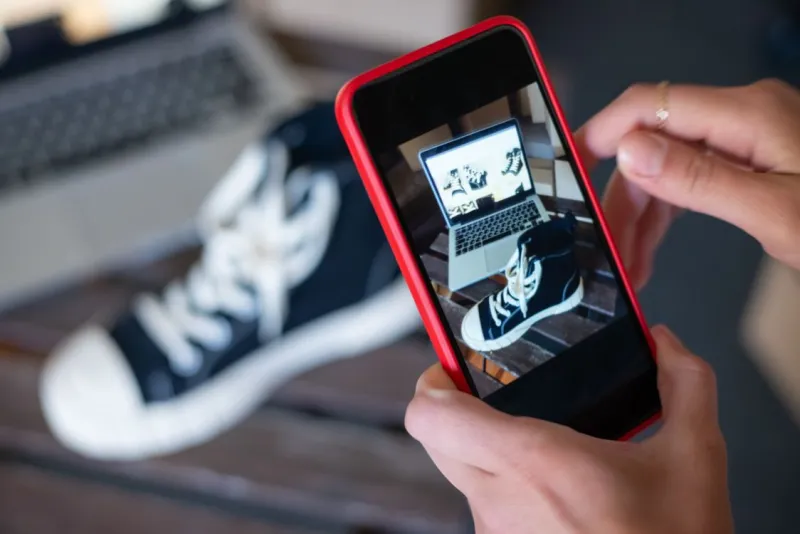
TikTok Shop product image requirements trip up sellers who assume a video-first platform doesn't care about stills. It does — the still image is what a buyer taps to check size and detail before they trust the video, and a rejected or weak image quietly leaks away the traffic your video worked to earn. Here's the current 2026 spec, plus the one thing the spec sheet doesn't tell you that decides whether the image actually sells.
TikTok Shop Product Image Requirements at a Glance
TikTok Shop product image requirements are the resolution, ratio, background, and content rules a listing photo must meet before TikTok Shop will publish it. Current for 2026:
| Requirement | TikTok Shop spec |
|---|---|
| Minimum resolution | 600 × 600 px (below this, rejected) |
| Recommended resolution | 800 × 800 px or higher; 1000 × 1000 for best display |
| Aspect ratio | 1:1 square |
| First image background | Clean white or neutral — no graphics, stickers, text, or logos |
| File format | JPEG or PNG |
| Maximum file size | 5 MB |
| Images per listing | Up to 9 |
| Product size in frame | Fills at least 80% of the frame |
The floor is low (600 × 600), but treat it as a floor, not a target. Shoppers arriving from a video are already interested — the image's job is to confirm the product is real, sized as expected, and worth the tap to buy. A soft 600 px image undercuts every second of video that sent them there.
The First Image Has the Strictest Rules
The first image is the thumbnail that shows in search, the cart, and the product card under a video. Its background must be clean white or neutral, with nothing overlaid — no promotional graphics, no stickers, no text, no logos. TikTok wants the product isolated and instantly recognizable at thumbnail size.
Save the styled and in-context shots for the later slots. You have up to nine images; use the first for compliance and clarity, and the rest for lifestyle, scale, detail, and variants. The product should fill at least 80% of the frame in the main image — a product floating small in a sea of white reads as low-effort and gets scrolled.
What the Spec Sheet Doesn't Tell You
Passing the technical check gets you listed. It says nothing about whether the image answers the buyer's real question: how big is this, and will it be what I expect? TikTok Shop skews toward impulse buys off short video, which means the size surprise — and the return that follows — lands after the excitement, not before. An image that marks the actual dimensions turns an impulse into an informed purchase and heads off the "smaller than it looked" return.
The moat here is accuracy. AI tools can generate a clean white background to clear TikTok's first-image rule, but AI-generated images can't measure dimensions — a marked size that's wrong is worse than none, because it converts into a dispute after a fast checkout. Draw the numbers from the real product. The same discipline shows up across every marketplace's rules — the platforms differ on pixels, but they all reward the listing that answers the size question, as the B2B marketplace image requirements comparison lays out. You can see the before/after in this dimensioned product-image case study.
AI-generated product images: what TikTok's rules require
TikTok Shop allows AI-generated content, but with conditions most sellers skip. Under its content policy, AI-generated content is permitted only if it is transparent and accurate: it must not mislead or deceive, and it must not change or exaggerate the promoted product. TikTok's AIGC guidance is more specific — AI-generated product visuals must match the real product and the listing details, including colour, size, material, features, shape, and weight.
For a product image that means two things:
- An AI-rendered scene or an AI-generated model is allowed, but it cannot make the product look bigger, smaller, or different from what actually ships.
- An AI image that shows a plausible-but-wrong dimension is a policy problem, not just a design problem — it is exactly the "exaggerates the product" case the rules target.
Real photography of your real product clears this bar automatically, and marking the measured dimensions on a real photo does the compliance job and the conversion job at once: the buyer sees the true size, and nothing in the image is invented. This is where "AI can make a clean white background" stops being enough — a clean background does not tell the buyer the size, and a fabricated size is worse than none.
Why TikTok Shop Images Get Rejected
- Under 600 × 600 px — the hard floor; the image won't publish.
- First image not on a clean background — graphics, stickers, text, or a logo on the main image fails review.
- Watermark or promo banner — any burned-in promotional element is rejected.
- Blurry, pixelated, or heavily edited — over-processed images get flagged.
- Product too small in frame — under the 80% fill guideline reads as low quality.
Pre-Upload Checklist for TikTok Shop
- Main image: 1:1 square, clean white/neutral background, product fills ≥80% of frame
- Every image at least 600 × 600 px — aim for 1000 × 1000
- No text, stickers, logos, or promo graphics on the first image
- JPEG or PNG, under 5 MB each
- Use the later slots (up to 9) for scale, detail, lifestyle, and variants
- At least one image marks accurate dimensions, drawn from the real product
FAQ
What size do TikTok Shop product images need to be?
The minimum is 600 × 600 px, but 800 × 800 or higher in a 1:1 square is recommended, and 1000 × 1000 displays best across devices. Images must be JPEG or PNG under 5 MB, and you can upload up to 9 per listing.
Does TikTok Shop require a white background?
The first image must be on a clean white or neutral background with no graphics, stickers, text, or logos. Later gallery images can use lifestyle and in-context settings — the clean-background rule applies to the main thumbnail.
Why was my TikTok Shop image rejected?
Common reasons: the image is under 600 × 600 px, the first image has text or a logo on it, there's a watermark or promo banner, the photo is blurry or over-edited, or the product fills less than 80% of the frame. Fix the first image first — it faces the strictest rules.
How many images can I upload to a TikTok Shop listing?
Up to 9. Use the first for a clean, compliant thumbnail, then use the rest for scale references, close-up detail, lifestyle context, dimension callouts, and product variants — each answering a different buyer question.
Can I use AI-generated images for TikTok Shop product photos?
Yes, with conditions. TikTok Shop allows AI-generated content only if it is transparent and accurate — it must not mislead or deceive, or change or exaggerate the product — and AI-generated product visuals must match the real product and listing details (colour, size, material, features, shape, weight). Real photos of your actual product avoid the issue entirely, especially when the measured dimensions are marked on the image.
Next Steps
If you sell across more than one channel, don't rebuild images per platform from scratch — start from one accurate, well-marked master image and re-export to each platform's spec. Confirm your current pixel and file-size limits in the TikTok Shop seller center (they can change), mark the real dimensions once, and reuse that size layer everywhere. A dimension & spec annotation tool makes that master-once, export-everywhere workflow fast; the B2B marketplace image requirements guide maps the specs you'll be exporting to.