
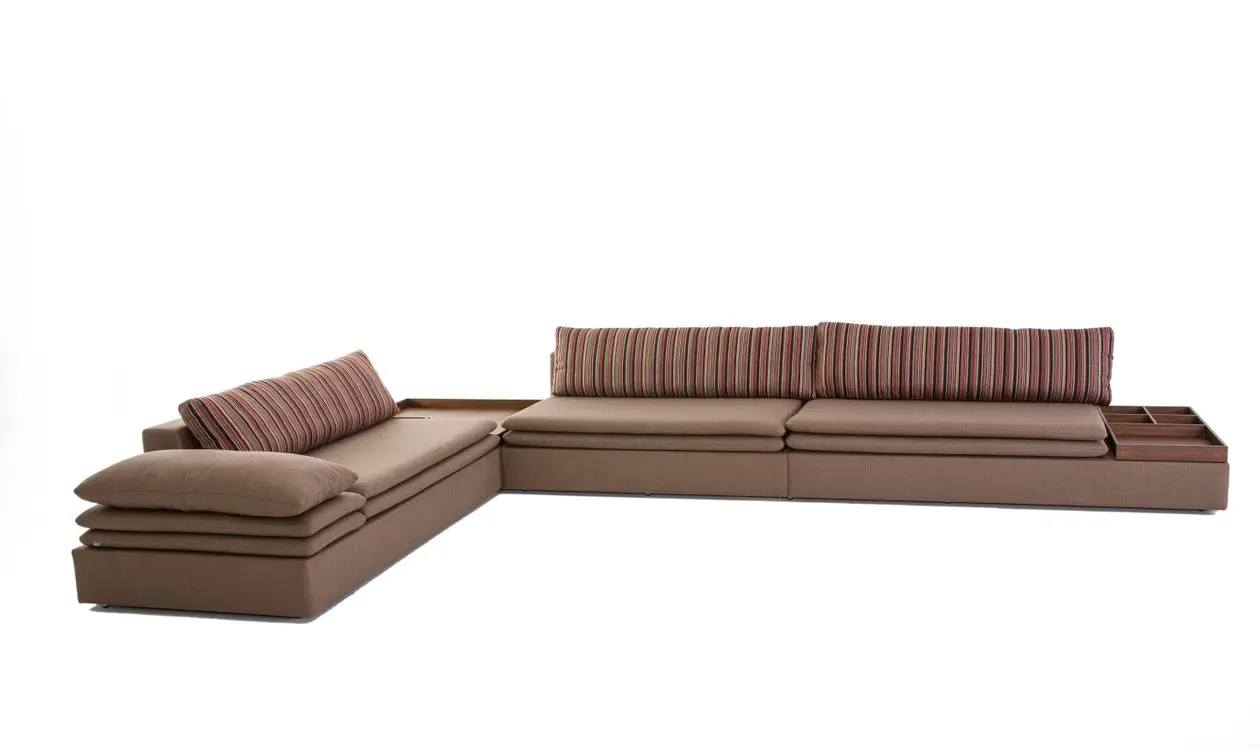
How to photograph furniture is mostly a question of restraint: stand further back than feels natural, zoom in more than feels natural, and resist every temptation to make a cabinet look dramatic. Furniture is the category where the camera lies most easily — a wide lens up close turns a 45cm seat depth into what reads like 60, and the buyer who ordered based on that photo is the buyer who opens a dispute. This is the setup that furniture factories shooting an export catalog and sellers shooting five listings in a garage both need, in seven steps, with the checklist at the end.
Furniture doesn't need a creative photographer; it needs a truthful one — the photo's job is to show what the piece is, how big it is, and how it's built.
Step 1: Give the Piece Room Before You Touch the Camera
Distortion control starts with floor space, not equipment. You want the camera far enough away that the whole piece fits in frame at a longer focal length — for a sofa, that's typically 4–6 meters of clear distance. A cramped space forces a wide lens, and a wide lens close to a large object is exactly what makes front edges balloon. If the workshop corner you planned to use gives you two meters, move the shoot to the loading area; distance is the one thing post-production can't add back.
Mark the product position on the floor with tape. You'll shoot dozens of SKUs from the identical spot, and a consistent camera-to-product distance is what makes a catalog page look like a set instead of a scrapbook.
Step 2: How to Photograph Furniture Without Distortion — Lens and Settings
The working rules, consistent across ExpertPhotography's furniture guide and studio practice:
| Setting | Value | Why |
|---|---|---|
| Focal length | 50mm or longer (or max optical zoom on a phone) | Short focal lengths exaggerate whatever is closest — perspective distortion |
| Aperture | f/8 or narrower | A 2m-long piece needs depth of field front to back |
| ISO | 100–400 | Clean texture in wood grain and fabric |
| Support | Tripod, always | f/8 at ISO 200 indoors means slow shutter speeds |
| Height | Lens at roughly half the product's height | Keeps vertical lines vertical |
Perspective distortion is the technical name for the effect where a wide-angle lens used close up inflates near objects relative to far ones — the reason a 24mm shot of a wardrobe makes its top corners lean backward (see the perspective distortion overview for the geometry). You don't fix it in settings menus; you fix it by backing up and zooming in.
Phones can do this job for smaller pieces: lock exposure, use the 2× or 3× optical lens (never digital zoom), and treat the tripod as non-negotiable.
Step 3: Background — Seamless, Light, and Bigger Than You Think
A white or light-gray seamless backdrop isolates the product and matches what both B2B buyers and marketplaces expect from a primary image. For furniture the roll needs to be wide — a 2.7m paper roll handles chairs and small cabinets; sofas usually mean a painted wall and floor sweep instead. The full budget build, including where to cheat, is in the white background product photo DIY setup guide.
Two field notes. First, the floor matters as much as the wall: raw concrete under a walnut sideboard reads "warehouse clearance," while a clean white sweep or a large neutral rug reads "catalog." Second, gray backgrounds photograph dark wood better than pure white does — white bounces so much light that dark edges lose definition.
Step 4: Light It Like a Room, Not a Jewelry Box
Furniture wants big, soft, even light. Small hard sources carve dramatic shadows that hide construction details — the opposite of what a buyer inspecting joinery needs.
- Key light: the largest soft source you can manage — a big softbox, a diffused window, or a north-facing loading door. Position it 45° to the product.
- Fill: a white reflector board (or foam board) on the shadow side. A piece the size of a sofa throws a shadow the size of a sofa; without fill, the far arm disappears into gray.
- Avoid mixed light: kill the overhead fluorescents if daylight is your key. Mixed color temperatures turn oak orange on one side and green on the other, and that's a color-accuracy dispute waiting to happen.
If a corner still sinks into shadow, add a second reflector rather than a second lamp — every light you add is a second set of shadows to manage.
Step 5: Shoot the List, Not Your Mood
Buyers and marketplaces need the same core set. Shoot every SKU against this list and you'll never reopen the set for a missing angle:
| Shot | Angle | What it proves |
|---|---|---|
| Front, square-on | 0° | Proportions, symmetry |
| Three-quarter | 30–45° | Depth, silhouette — usually the hero |
| Side profile | 90° | True depth, leg geometry |
| Back | 180° | Finish quality where buyers suspect corners were cut |
| Details ×3 | Close | Joinery, hardware, fabric weave, edge banding |
| Underside or frame | Low | Construction honesty — B2B buyers specifically ask |
| In context | Room set | Scale cue and styling (secondary images only) |
That's nine frames minimum per SKU. At volume, the sequencing tricks in batch product photography keep a 50-SKU catalog inside one day — the short version is: shoot every SKU's full list before changing anything about the set.
Step 6: Level the Camera, Then Leave It Alone
Set the tripod so the lens sits at about half the product height and the camera back is perfectly vertical — a hot-shoe bubble level costs a few dollars and saves every vertical line in the frame. Tilting the camera up or down converges the verticals (the wardrobe "leans"), and while software can straighten them, the correction crops your frame and stretches the corners.
This is also the step where consistency pays: once level and locked, the same tripod height and distance across all SKUs means every product in your catalog sits at the same visual scale — which is exactly the cue a buyer's eye uses to compare sizes across a page.
Step 7: Post-Production — Color First, Then the Spec Layer
Keep editing boring: white balance against a gray card frame, straighten, crop to the platform's ratio, export at 1500px+ on the long edge. Skip the beauty filters — a buyer comparing your walnut finish to a competitor's needs your photo to be calibrated, not flattering.
Then add the layer that does the selling: measurements. A clean three-quarter shot with the width, depth, seat height, and packed size marked on the image answers the question every furniture buyer asks first — will it fit — before they ask it. The methods and measurement conventions are covered in show furniture dimensions in photos, and the commercial effect is documented in this lounge chair size-label case study: identical product and photography, dimension labels added, returns down.
Pre-Shoot Checklist
- 4–6m camera-to-product distance available, position taped
- Lens at 50mm+ (or phone at 2×/3× optical), tripod locked, camera level
- f/8 or narrower, ISO ≤400, gray card frame shot
- Backdrop wide enough — wall + floor sweep for large pieces
- One big soft key at 45°, reflector on the shadow side, overheads off
- Dust, fingerprints, and packaging debris removed (10× cheaper than retouching)
- Shot list printed: 9 frames per SKU minimum
- Measurement sheet per SKU ready for the spec layer in post
FAQ
What is the best lens for furniture photography?
A 50–85mm focal length (full-frame equivalent) is the practical sweet spot: long enough to avoid the perspective distortion that wide lenses create on large objects, short enough that a 5m shooting distance still frames a sofa. On a phone, that means the 2× or 3× optical lens — never the ultra-wide.
How do I photograph furniture in a small space?
Prioritize distance over background. Move the shoot to the largest clear area available — a loading bay, a hallway shooting into a room — and accept a plainer backdrop rather than shooting wide from two meters. A distorted photo on a beautiful set still misrepresents the product; a straight photo on a plain wall still sells it.
What lighting do I need for furniture photography?
One large soft key light at 45° plus a reflector for fill handles most pieces. Diffused window light or an open loading door works if you turn off every artificial light in the space; mixing daylight with fluorescents shifts wood tones in ways buyers read as inaccurate color.
How do I add dimensions to my furniture photos?
Mark them directly on the image after color correction — width, depth, height, seat height, and packed carton size on the three-quarter or front shot. A dimension and spec annotation tool does this in minutes per SKU with measurement lines that stay accurate to the photo, which beats rebuilding callouts in a general-purpose editor every time a spec changes; either way, the photo with numbers on it is the one that stops "what are the dimensions?" from being your most-received message.